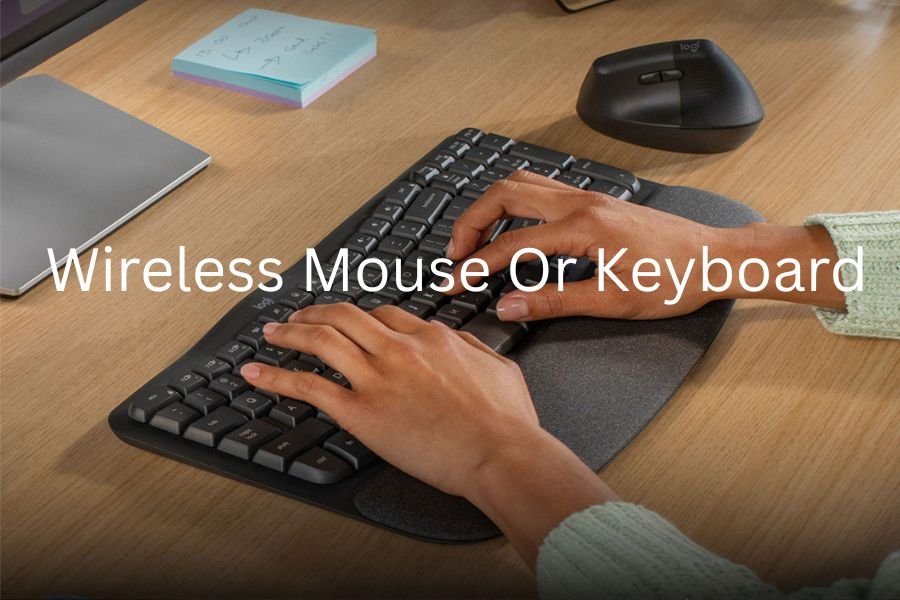
A wireless mouse or keyboard is a computer input device that connects to your PC, laptop, or tablet without the need for cables. These devices rely on wireless technologies such as Bluetooth or 2.4 GHz RF signals to communicate with the system. They offer users a clutter-free workspace and greater flexibility in positioning.
Over the years, wireless peripherals have become more reliable, faster, and more affordable. A wireless mouse helps control pointer movement, while a keyboard is used for typing and shortcuts. Together, they form a modern, portable, and convenient input solution ideal for both home and office use.
A wireless mouse or keyboard offers a cleaner workspace, greater freedom of movement, and modern convenience for work, gaming, or travel. With reliable Bluetooth or USB receiver connections, they deliver responsive performance, long battery life, and ergonomic comfort. Choosing the right model based on usage, features, and compatibility can significantly boost productivity and everyday comfort.
In this article, we discuss the topic of “wireless mouse or keyboard“.
How Wireless Mice and Keyboards Work
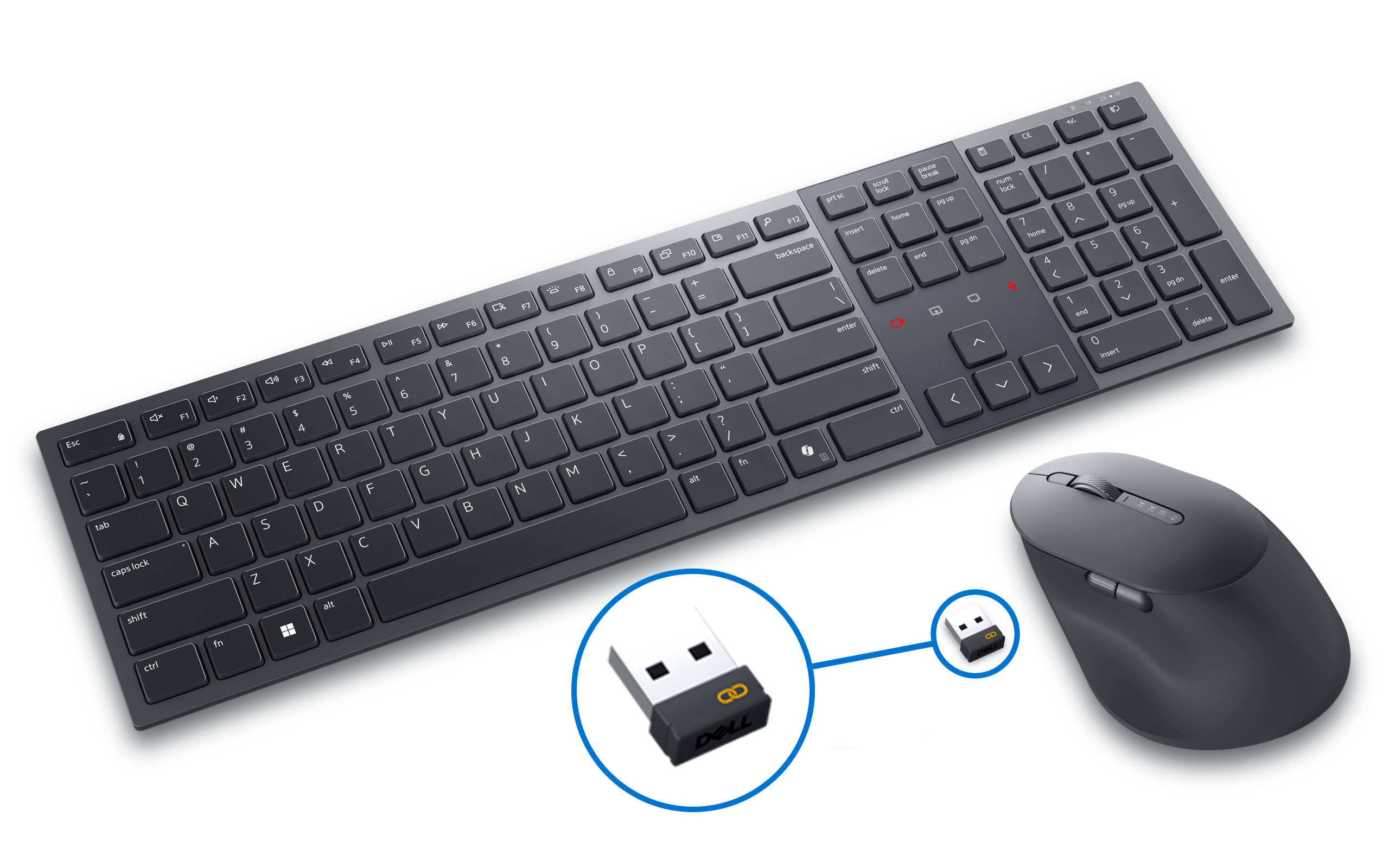
Wireless mice and keyboards transmit signals to your device using either Bluetooth or a USB receiver (dongle). When a button is pressed or the mouse is moved, the device sends encoded signals through radio waves. Your computer receives and translates those signals into actions on the screen. Bluetooth devices pair directly with your system, while RF devices require the USB dongle. Both systems are designed to maintain stable communication, minimizing interference from other wireless gadgets. This makes wireless peripherals both efficient and responsive for daily computing tasks.
Benefits of Using a Wireless Mouse or Keyboard
Wireless devices offer greater convenience and mobility by eliminating messy cables. They allow you to work comfortably from a distance, which is especially useful for presentations, couch computing, and smart TV use. They make your workspace look cleaner, more modern, and more organized. Many wireless gadgets come with advanced features like multi-device pairing and ergonomic designs. They are also easier to pack and travel with compared to their wired counterparts. Overall, wireless input devices enhance both productivity and user comfort.
Drawbacks of Wireless Mice and Keyboards
Despite their advantages, wireless devices have some limitations. They require batteries or charging, which means they may stop working unexpectedly if power runs out. Wireless signals can sometimes experience interference from other electronics, especially in crowded environments. Some low-end models may have slight input lag compared to wired versions. Wireless peripherals also tend to cost more than wired ones. Additionally, losing the USB dongle can render a device unusable. Still, these issues are usually manageable with proper care.
Bluetooth vs. USB Receiver: Which Is Better?
Bluetooth devices don’t require a USB port and can connect to multiple devices, making them ideal for tablets and laptops. They typically offer good range and battery efficiency. USB receiver (RF) devices, on the other hand, provide more stable connections with lower latency, which is preferred for gaming or fast typing. However, they occupy a USB port and rely on the included dongle. Bluetooth is more universal, but RF delivers better responsiveness. The choice depends on your purpose and device compatibility.
Top Features to Look for in a Wireless Mouse
When choosing a wireless mouse, look for features such as adjustable DPI settings, ergonomic shape, and long battery life. Additional buttons for shortcuts can help improve productivity. Some models offer dual-mode connectivity—Bluetooth and RF—for flexibility. Consider whether you prefer a silent click design or tactile feedback. Rechargeable mice are more eco-friendly and cost-effective than ones that use disposable batteries. A good sensor is essential for smooth tracking on various surfaces.
Top Features to Look for in a Wireless Keyboard
A quality wireless keyboard should offer comfortable key travel, a layout you prefer, and solid build quality. Look for features like backlighting, long battery life, and Bluetooth multi-device support. Ergonomic designs like split keyboards reduce strain during long typing sessions. Mechanical wireless keyboards provide tactile feedback, while membrane types are quieter. Some keyboards also include media buttons, customizable keys, or foldable structures for portability. Choose one that matches your workflow and typing habits.
Wireless Mouse or Keyboard: Which One Improves Productivity?
Both wireless mice and keyboards can improve productivity in different ways. A wireless mouse allows more freedom of movement, reduces wrist strain, and enables precise control for design or editing work. A wireless keyboard helps maintain a tidy workspace while giving you the flexibility to sit comfortably. When used together, they create a seamless, efficient workflow. Productivity also depends on ergonomic design, responsiveness, and device features. Ultimately, the best choice is a combination of both.
Best Wireless Mouse Options for Office Work
Office users need a mouse that offers comfort, precision, and long battery life. Many office mice include silent clicks to avoid disturbing coworkers. Ergonomic mice reduce wrist fatigue during long work hours. Models with adjustable DPI allow better control when switching between tasks like spreadsheets and design tools. Some options also support multi-device switching, allowing seamless transitions between computers. Light, portable mice are best for users who travel frequently.
Best Wireless Keyboards for Typing Comfort
Typing comfort depends on key spacing, switch type, and keyboard shape. Wireless keyboards designed for typing comfort often feature soft, responsive keys with good travel distance. Split and curved ergonomic designs reduce strain during long sessions. Wrist rests help support your hands and improve alignment. Full-size keyboards offer more comfort, while compact models save desk space. Backlit keyboards are helpful for working in low-light environments. A good typing keyboard should balance comfort, function, and durability.
Wireless Gaming Mouse and Keyboard Options
Gaming wireless peripherals are designed for speed, precision, and durability. They usually feature high-DPI sensors, customizable buttons, and ultra-fast wireless technologies. Many gaming keyboards use mechanical switches for responsiveness and tactile feedback. Low-latency wireless systems ensure accurate input during intense gameplay. RGB lighting adds a stylish look and allows customization. Rechargeable batteries or wired charging options ensure uninterrupted gaming. Gamers should choose devices that offer reliability and comfort for extended play.
Battery Life of Wireless Mouse or Keyboard Devices
Battery life varies widely between devices, ranging from weeks to several months. Many keyboards can last up to a year on AA batteries. Rechargeable models often include fast-charging capabilities, making them convenient for daily use. Low-power modes and auto-sleep functions extend battery life significantly. Bluetooth devices generally consume less power than RF ones. Users who prioritize long usage should choose models specifically designed for extended battery performance.
How to Choose the Right Wireless Mouse for Your Needs
Start by identifying how you’ll use the mouse—work, gaming, travel, or general tasks. Look for ergonomic designs if you spend long hours on the computer. Ensure the DPI range matches your work: low DPI for precision tasks and high DPI for gaming. Portability matters if you travel frequently. Battery type, additional buttons, and connectivity options also play important roles. Always choose a mouse that feels comfortable in your hand.
How to Choose the Right Wireless Keyboard for Your Setup
Consider the layout—full-size, tenkeyless, or compact. Choose based on the type of work you do and the space available. Mechanical keyboards offer better durability and feedback, while membrane ones are quieter. Backlighting can help in dim lighting. Multi-device pairing is helpful for switching between desktop, laptop, and tablet. Also check compatibility with your operating system. Comfort should be your priority, especially if you type a lot.
Ergonomic Wireless Mouse Options
Ergonomic mice are designed to reduce wrist tension and prevent repetitive strain injuries. Vertical mice encourage natural hand posture. Sculpted designs support the palm and reduce finger strain. Trackball mice eliminate the need for wrist movement entirely. Many ergonomic models include rubberized grips for added comfort. They cater to users who work long hours or suffer from hand pain. Choosing the right shape can significantly improve overall comfort.
Ergonomic Wireless Keyboard Options
Ergonomic keyboards often feature split layouts that allow natural arm positioning. Curved designs help reduce shoulder and wrist strain. Some models include built-in wrist rests for added support. Wireless ergonomic keyboards free you from cable restrictions, allowing better posture adjustments. They are especially beneficial for programmers, writers, and office workers. Although they require an adjustment period, they greatly improve long-term comfort.
Wireless Combo Packs: Mouse and Keyboard Together
Combo packs offer convenience by providing both devices in a single purchase. They often share the same USB receiver, leaving more ports free. Combos are usually more affordable than buying each device separately. They provide matched aesthetics for a cleaner workspace. Most combos are optimized for office use, offering long battery life and solid performance. For basic users, combo packs are the most practical solution.
Wireless Mouse or Keyboard for Laptops

Laptop users benefit greatly from wireless devices due to portability and convenience. A wireless mouse improves precision compared to a trackpad. Wireless keyboards help maintain comfortable typing posture, especially when using laptop stands. Lightweight and compact designs are ideal for frequent travelers. Bluetooth devices are preferred because they do not require carrying a dongle. A wireless setup enhances productivity on the go.
Wireless Mouse or Keyboard for Desktop Setups
Desktop setups typically offer more space, allowing users to choose full-size wireless peripherals. Wireless devices help maintain a clean and cable-free desk environment. Mechanical wireless keyboards are popular among desktop users for their durability and tactile feel. High-performance wireless mice offer customization and precision. Desktop setups benefit from long-range connectivity, especially for large workspaces. Wireless devices complete a modern desktop experience.
Setting Up Your Wireless Mouse and Keyboard
Setup is usually quick and simple. USB receiver models only require plugging in the dongle and turning on the device. Bluetooth models require pairing through the system settings. Some devices support multi-device pairing, allowing easy switching between systems. Ensure batteries are installed or the device is fully charged before setup. Updating drivers can improve compatibility and performance. Within minutes, your wireless peripherals should be ready to use.
Common Problems with Wireless Mice or Keyboards
Users may experience issues like connection drops, lag, or unresponsive keys. Battery problems are common, especially in older devices. Interference from Wi-Fi routers or other Bluetooth devices may affect performance. USB dongles can sometimes fail or get damaged. Some operating systems may have compatibility issues with older models. Regular maintenance and troubleshooting can minimize these issues.
How to Fix Lag in Wireless Mouse or Keyboard
First, replace or recharge your batteries, as low power often causes lag. Move the device closer to the receiver to reduce interference. Avoid placing metal objects or other electronics near the dongle. Try switching USB ports, preferably using a USB 2.0 port. Update your drivers or firmware. If using Bluetooth, unpair and reconnect the device. These steps usually resolve most lag issues.
How Wireless Range Affects Performance
Wireless devices function best within their recommended range, typically 10 meters. Using them too far from the receiver can cause signal loss or lag. Obstacles such as walls and furniture may weaken the signal. RF devices generally offer stronger range than Bluetooth. Maintaining clear line-of-sight improves performance. Understanding range limitations helps users position their devices effectively.
Rechargeable vs. Battery-Powered Wireless Devices
Rechargeable devices are eco-friendly and cost-effective over time. They can be charged using USB cables, and many offer fast charging. Battery-powered devices last longer per charge cycle but require replacements. Rechargeable models are better for heavy users, while battery-powered ones suit occasional usage. Each option has its trade-offs in convenience and cost. The best choice depends on usage habits.
Top Brands Offering Wireless Mouse and Keyboard
Popular brands include Logitech, Microsoft, HP, Dell, Razer, and Corsair. Logitech is known for reliable office and productivity peripherals. Gamers prefer Razer and Corsair for performance and customization. Microsoft offers ergonomic options with comfortable designs. HP and Dell supply affordable choices suitable for workplaces. These brands consistently deliver quality, durability, and innovation.
Affordable Wireless Mouse or Keyboard Choices
Budget-friendly options offer solid performance at low cost. Many affordable mice and keyboards include long battery life and comfortable design. Brands like Logitech, Redragon, and HP offer excellent low-cost models. Basic features such as silent clicks, durable keys, and plug-and-play connectivity are common. They are ideal for students and casual users. Even with a small budget, you can find reliable wireless devices.
Premium Wireless Mouse or Keyboard Models
Premium devices offer advanced features like customizable buttons, high-end materials, and exceptional battery life. Mechanical keyboards with Bluetooth support provide top-tier typing performance. Luxury models from Logitech MX series, Razer, and Corsair offer superior ergonomics. Premium mice feature high-precision sensors and multi-device switching. Although expensive, they provide unmatched comfort and durability. They’re ideal for professionals and enthusiasts.
Silent Wireless Mouse and Keyboard Options
Silent mice use special switches that minimize clicking noise. Quiet keyboards use soft membrane keys or silent mechanical switches. These devices are perfect for offices, libraries, and shared spaces. They reduce distractions and provide a smoother working experience. Brands like Logitech produce excellent silent combo packs. Silent devices combine comfort with noise reduction.
Portable Wireless Mouse or Keyboard for Travel
Portable models are compact, lightweight, and easy to carry. Foldable keyboards fit easily into bags, making them ideal for mobile workers. Travel mice are small but still offer good precision. Bluetooth connectivity eliminates the need for dongles. Many portable devices feature low-power consumption for extended use. Travelers benefit from the convenience and space-saving design.
Wireless Mouse Sensitivity (DPI) Explained
DPI stands for dots per inch and determines how fast the cursor moves. Higher DPI results in faster pointer movement, ideal for gaming or large screens. Lower DPI offers more precision, useful for design or editing tasks. Many modern mice allow DPI adjustments on the fly. Understanding DPI helps choose a mouse suited to your workflow. A balanced DPI range provides flexibility for various tasks.
Mechanical vs. Membrane Wireless Keyboards
Mechanical keyboards use individual switches for each key, offering tactile feedback and durability. They are preferred by gamers and heavy typists. Membrane keyboards are quieter and more affordable. They use a pressure pad system and require less force when typing. Mechanical keyboards last longer but are heavier. Membrane keyboards are better for portability and silent operation. The choice depends on user preference.
Compatibility of Wireless Mouse or Keyboard with Windows
Most wireless devices work seamlessly with Windows systems. Windows supports plug-and-play for USB receivers and Bluetooth. Additional software like Logitech Options enhances customization. Some advanced keyboards require drivers for macro functions. Compatibility is rarely an issue with modern devices. Always check product specifications before buying.
Compatibility of Wireless Mouse or Keyboard with Mac
Mac users should select devices specifically optimized for macOS. Many keyboards include Mac key layouts with Command and Option keys. Bluetooth devices pair easily with MacBooks and iMacs. Some brands offer multi-OS switching for convenience. Not all customization software is available for macOS. Choose a device known for strong Apple compatibility.
Best Wireless Mouse or Keyboard for Students
Students need affordable, reliable, and portable devices. Compact keyboards save space in backpacks. Silent mice are ideal for classrooms and libraries. Long battery life ensures uninterrupted use during study sessions. Multi-device support helps students switch between laptop and tablet. Durable construction withstands everyday handling.
Wireless Mouse or Keyboard for Graphic Designers
Graphic designers need precision, comfort, and responsiveness. High-DPI mice provide better accuracy for editing work. Ergonomic mice reduce hand fatigue during long design sessions. Designers benefit from keyboards with customizable shortcuts. Smooth connectivity ensures uninterrupted workflow. A wireless setup also keeps the workspace clutter-free for creativity.
Wireless Mouse or Keyboard for Programmers
Programmers require comfortable, responsive keyboards for long coding sessions. Mechanical wireless keyboards offer tactile feedback and durability. Programmers benefit from full-size layouts with function keys. Wireless mice with ergonomic shapes prevent wrist pain. Long-range connectivity allows flexible workspace setups. These tools improve coding efficiency and comfort.
Health Benefits of Using an Ergonomic Wireless Setup
Ergonomic wireless devices help maintain natural posture and reduce muscular strain. They minimize wrist bending and reduce the risk of repetitive strain injuries. Wireless functionality allows you to position devices more freely. Users can maintain a healthier distance from screens. Comfortable input devices significantly improve long-term health. An ergonomic setup supports productivity and well-being.
Wireless Mouse and Keyboard for Smart TVs
Many smart TVs support Bluetooth or USB receivers for wireless input. A wireless keyboard makes text input faster for browsing and streaming. A wireless mouse helps navigate apps with ease. Compact keyboards with touchpads are ideal for TV use. These devices make smart TVs more versatile for everyday tasks. They enhance the overall entertainment experience.
How Secure Are Wireless Mouse and Keyboard Connections?
Modern wireless devices use encrypted connections to prevent unauthorized access. Bluetooth connections are generally secure with advanced encryption standards. RF devices may be vulnerable if encryption is weak on older models. Always choose trusted brands with strong security protocols. Avoid using unknown wireless devices in sensitive environments. Secure connections help protect your data and privacy.
USB Dongle Not Detected? Troubleshooting Guide
Try connecting the dongle to a different USB port. Restart your device and check if drivers install automatically. Remove sources of interference such as metal objects or other wireless devices. Replace the batteries in your mouse or keyboard. If available, reinstall or update device drivers. As a last resort, test the dongle on another computer.
Maintaining Your Wireless Mouse or Keyboard
Regular maintenance extends the life of your devices. Keep them clean and dust-free. Avoid dropping or exposing them to moisture. Replace batteries before they leak. Store them securely during travel. Firmware updates help maintain performance. Proper care ensures reliable and long-lasting operation.
Cleaning Tips for Wireless Mice and Keyboards
Use a soft cloth or gentle cleaning brush to remove dust. Avoid harsh chemicals that may damage surfaces. Compressed air helps clean between keys. For mice, clean the sensor area regularly for smooth tracking. Disinfect high-touch areas with a safe cleaning solution. Regular cleaning improves hygiene and performance.
How Long Do Wireless Mice and Keyboards Last?
High-quality devices can last several years with proper care. Mechanical keyboards may last up to 10 years. Battery-powered devices depend on battery care and usage frequency. Rechargeable models maintain lifespan if charged properly. Build quality and brand reputation affect longevity. Proper maintenance ensures extended life expectancy.
Top Wireless Mouse or Keyboard for Minimalist Workspaces
Minimalist designs prioritize clean lines and compact shapes. Slim keyboards offer a modern aesthetic. Simple, button-light mice complement minimal setups. Rechargeable devices reduce clutter caused by battery replacements. White and neutral-colored models look sleek on modern desks. These devices combine function with style.
RGB Wireless Mouse or Keyboard Options
RGB lighting adds visual flair to your setup. Gaming models offer customizable lighting patterns. Some keyboards allow per-key RGB customization. RGB mice include scroll-wheel and logo lighting. These devices provide personality and enhance nighttime use. RGB features are especially popular among gamers and creatives.
Compact and Foldable Wireless Keyboards
Foldable keyboards are perfect for travelers and mobile workers. Compact designs save space in bags and cases. Despite their size, many offer comfortable typing experience. Bluetooth connectivity makes them compatible with tablets and phones. They are ideal for note-taking, writing, and quick tasks. Their portability makes them a must-have for productivity on the go.
Wireless Vertical Mouse Benefits
Vertical mice reduce wrist rotation and improve arm posture. They help prevent strain injuries like carpal tunnel syndrome. Their design supports the natural handshake position. They are great for long working hours. Many vertical mice include customizable buttons. Users seeking ergonomic comfort greatly benefit from this design.
Choosing a Wireless Mouse or Keyboard for Gaming Consoles
Many gaming consoles support wireless keyboards and mice for browsing and gameplay. Bluetooth devices are commonly supported on newer models. Low-latency devices ensure smooth gaming performance. Some games offer full keyboard and mouse support. Ensure compatibility with your console before purchase. Wireless devices enhance control and convenience for console users.
Are Wireless Keyboards Good for Fast Typing?
Modern wireless keyboards offer fast, responsive performance. Mechanical wireless keyboards are excellent for speed typists. Low-latency connections help maintain quick input accuracy. Ergonomic designs improve comfort during rapid typing. Battery life ensures uninterrupted use. Wireless keyboards are suitable for professional and high-speed typing tasks.
Final Tips for Choosing the Best Wireless Mouse or Keyboard
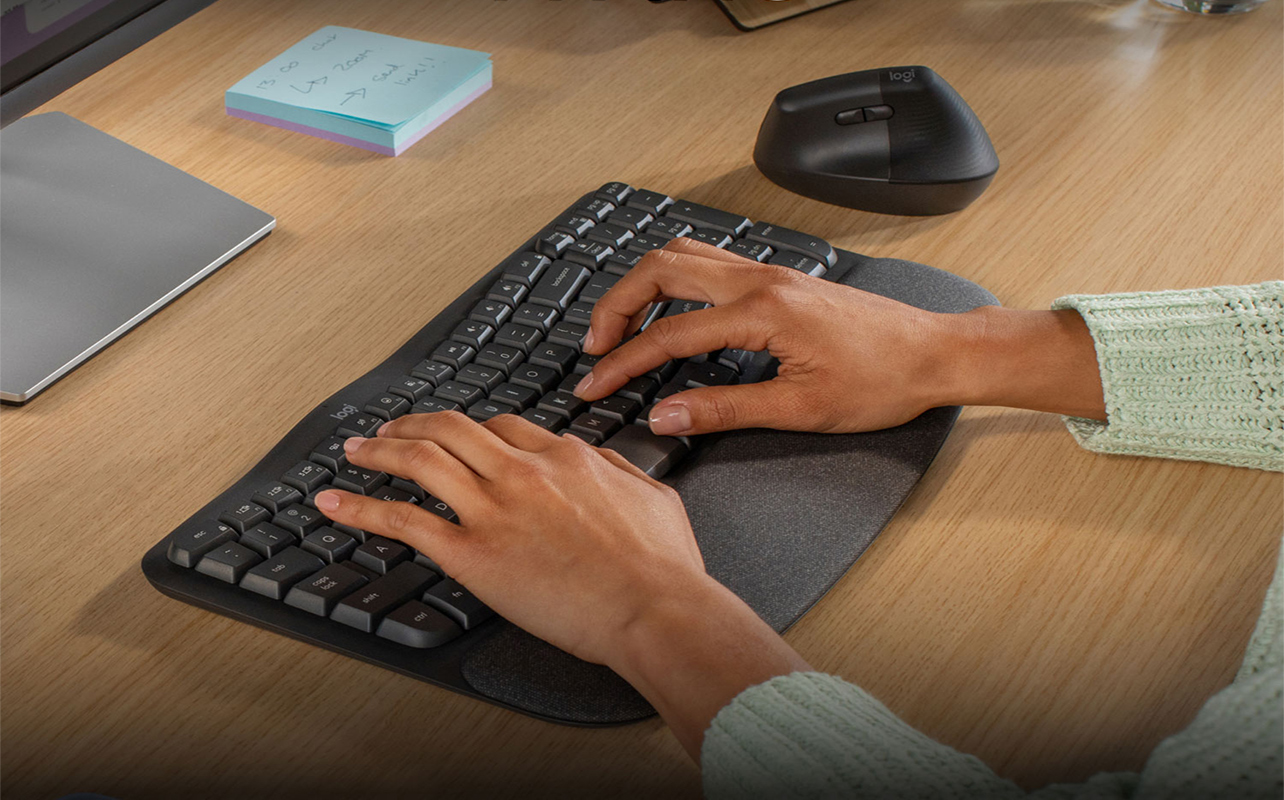
Always consider comfort, performance, and battery life. Choose devices that match your work style and daily tasks. Check compatibility with your operating system. Look for models with strong build quality and trusted brand support. Consider whether you need Bluetooth, RF, or dual-mode connectivity. With the right choice, your wireless setup will enhance both productivity and comfort.
Conclusion
Choosing a wireless mouse or keyboard can significantly enhance your comfort, productivity, and overall computing experience. With modern advancements in wireless technology, these devices now offer fast response times, long-lasting battery life, and ergonomic designs that support healthier work habits. Whether you need a portable setup for travel, a high-performance combo for gaming, or a reliable pair for everyday office tasks, there is a wireless option suited to every type of user.
By understanding the key features, benefits, drawbacks, and compatibility factors, you can confidently select the right device for your needs. Ultimately, a quality wireless mouse or keyboard helps create a cleaner workspace, improves efficiency, and brings more flexibility to your digital life. If chosen wisely, they become valuable tools that support both comfort and productivity for years to come.
FAQs
1. What does a 4-wire dryer plug mean?
It includes two hot wires, one neutral wire, and one ground wire for safer operation.
2. Can I convert a 3-wire dryer outlet to a 4-wire?
Yes, but it must be done correctly following electrical code requirements.
3. Is a 4-wire dryer cord safer than a 3-wire?
Yes. The separate ground increases safety and reduces shock risk.
4. Do all new dryers use 4-wire plugs?
Most modern dryers are designed for 4-wire connections, although they can often be adapted.
5. Can I install a 4-wire plug myself?
Only if you understand basic wiring—otherwise, it’s safer to hire an electrician.
Keep an eye for more latest news & updates on premiumtechy!