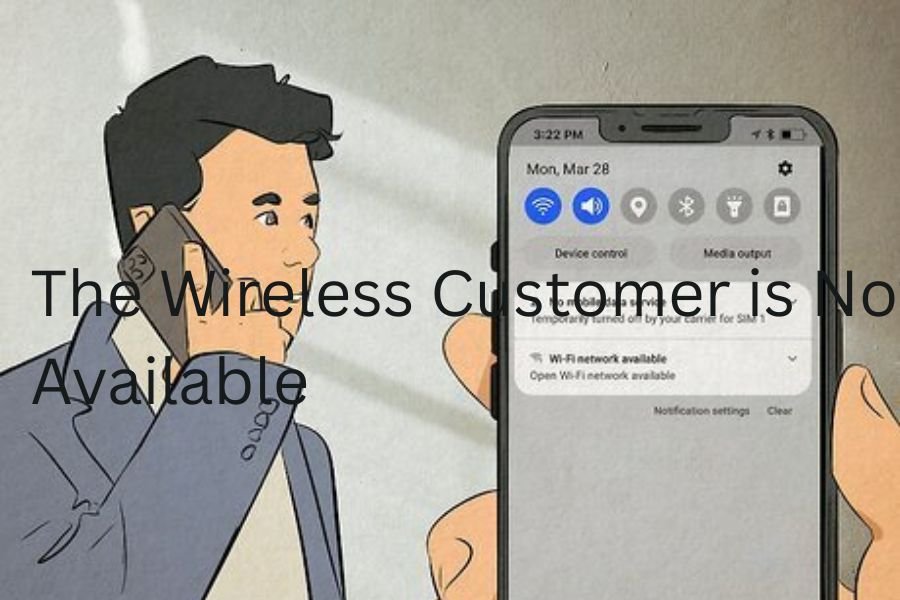
When you dial someone’s number and hear the message, “The wireless customer is not available,” it simply means the call can’t connect to their phone at that moment. This automated recording indicates that the network attempted to reach the person’s device but failed. It doesn’t always mean they’re ignoring you or blocking your number — sometimes, it’s just a temporary issue. Their phone may be turned off, out of range, or facing a technical glitch. In most cases, this message is a short-term signal problem rather than something permanent.
“The wireless customer is not available” means the network is unable to connect your call to the other person’s phone at that time. This usually happens because their phone is turned off, out of coverage, or experiencing a temporary technical issue. In most situations, it’s a short-term problem and does not mean you are being blocked or ignored.
In this article, we discuss the topic of “the wireless customer is not available“.
Why You’re Hearing This Message When Making a Call
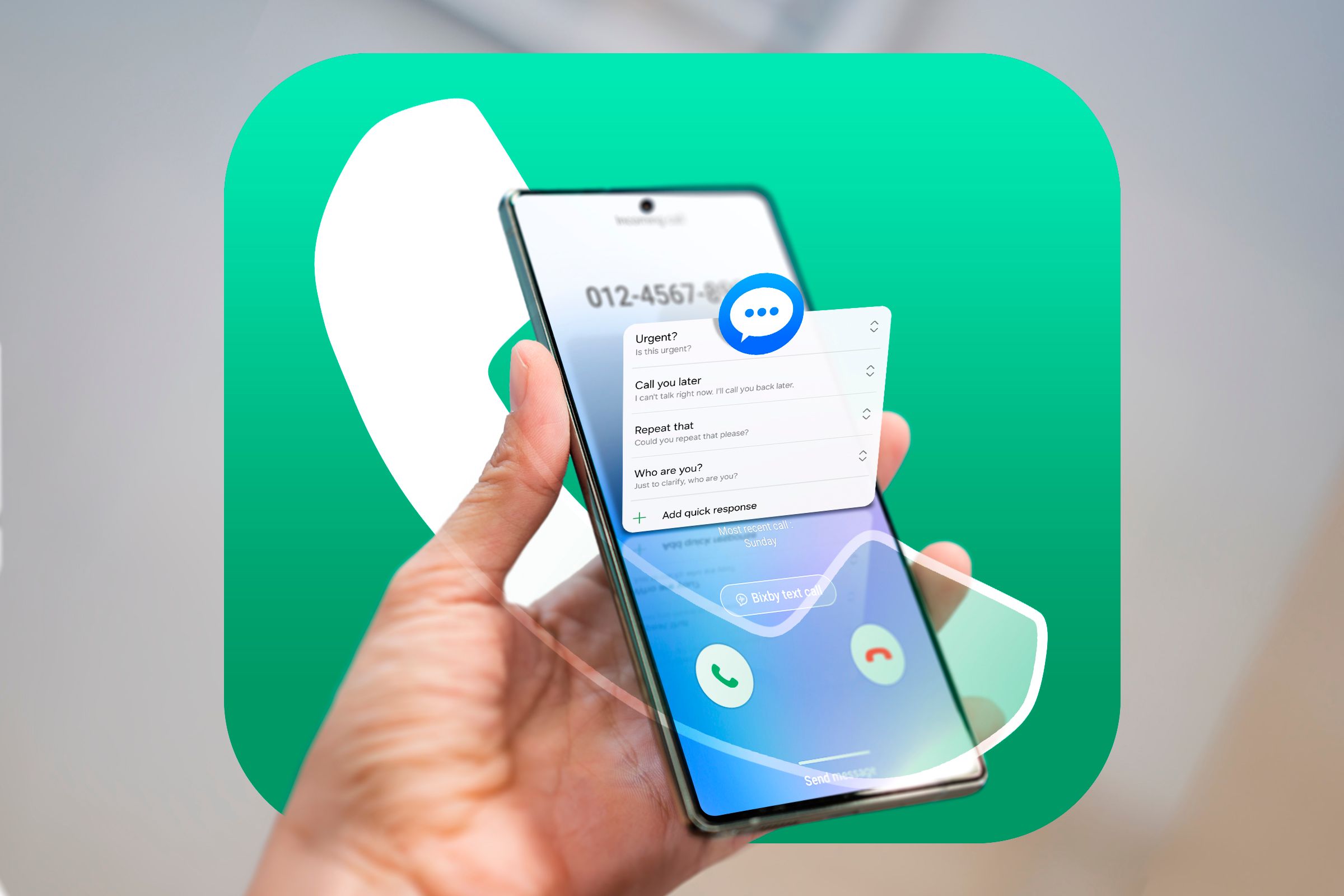
There are several reasons you might encounter this message when calling someone. It could be due to the recipient’s phone being powered off, network congestion, or a lack of coverage in their location. Sometimes, your carrier may also face network delays or routing errors that cause the message to play. If the issue happens frequently with one contact, it could mean their device or SIM is malfunctioning. However, if it occurs occasionally, it’s usually a random connection failure that fixes itself.
Is It a Network Problem or a Phone Issue?
Determining whether the problem lies with the network or the phone itself depends on a few factors. If you hear this message when calling several people, your phone or network might be the cause. But if it only happens with one specific number, the issue is likely on their end. Network outages, tower maintenance, or carrier transitions can temporarily disrupt connections. Meanwhile, hardware faults, outdated software, or SIM card damage can prevent a phone from receiving calls even when it appears normal.
Does This Message Mean You’ve Been Blocked?
One of the most common assumptions people make when hearing this message is that they’ve been blocked. While blocking can sometimes lead to this response, it’s not the only explanation. In many cases, blocked calls are redirected to voicemail, or you might hear messages like “The number you have dialed is not accepting calls.” However, if you consistently hear “The wireless customer is not available” every time you call, and your texts also fail to deliver, it’s possible you’ve been blocked by that person.
How to Tell If Someone Blocked Your Number
There are subtle signs that suggest your number may have been blocked. For instance, your calls always go straight to voicemail, or you hear the unavailable message every single time. Your text messages might not show “delivered” receipts, and you may not see their activity on messaging apps. To verify, try calling from another number — if the call goes through, it’s a strong indicator of being blocked. Still, give the person the benefit of the doubt; network or phone issues can sometimes mimic these signs.
The Role of Signal Strength in This Message
Poor signal strength is a leading cause of call unavailability. If the person you’re trying to reach is in a low-coverage zone — like rural areas, basements, or during travel — the network can’t establish a stable link. Even brief signal drops can trigger the automated “wireless customer not available” message. Similarly, if their phone switches between cell towers, the call may disconnect before it connects. Both the caller and receiver need a consistent signal for a successful voice connection.
Can Airplane Mode Cause “The Wireless Customer Is Not Available”?
Yes, absolutely. When a phone is in airplane mode, it disconnects from all cellular and wireless networks, making it unreachable for calls and texts. If you try calling someone whose phone is in airplane mode, you’ll often hear “The wireless customer is not available.” Many people use this setting during flights, meetings, or to save battery life. Once they disable airplane mode, their phone reconnects, and incoming calls can go through normally. It’s a temporary and harmless cause of this message.
How a Dead Battery Can Trigger This Notification
A dead or drained battery is another common reason this message plays. When a phone shuts off unexpectedly, the network loses contact with the device. As a result, any call attempt triggers the automated unavailable message. Some modern phones can still receive texts or calls briefly before powering down completely, but once they’re off, they’re unreachable. The message disappears as soon as the user recharges and powers their phone back on, restoring network communication.
When the Phone Is Turned Off — What Happens Behind the Scenes
When a mobile phone is turned off, it no longer communicates with cell towers. This means the carrier can’t locate or connect to the device, so it plays the “wireless customer not available” message to the caller. Depending on the carrier, the system may try to reconnect every few minutes until the phone turns back on. Once it does, the call can proceed normally, and missed calls or voicemail notifications appear. This is one of the simplest, most common explanations for the message.
Temporary vs. Permanent Unavailability Explained
There’s a big difference between temporary and permanent unavailability. Temporary unavailability happens when the phone is off, in airplane mode, or out of signal range — these situations usually resolve on their own. Permanent unavailability, on the other hand, could mean the number has been deactivated, blocked, or disconnected by the carrier. You can tell it’s temporary if the message stops appearing after a while. But if it persists for days, you may need to consider other possibilities like blocking or number deactivation.
Carrier Differences in the Message You Hear
Different mobile carriers use their own pre-recorded voice messages, even though they mean the same thing. Verizon, for instance, might say, “The wireless customer you are calling is not available,” while AT&T or T-Mobile could use slightly different phrasing. Some carriers even use different voices or tones depending on location. These differences can confuse callers, but the core meaning remains identical — the person’s phone cannot be reached. Understanding that these are carrier variations helps you avoid overthinking the situation.
Why Verizon, AT&T, and T-Mobile Say It Differently
Every network provider customizes its customer messages to match its system design and user experience policies. Verizon often uses direct and concise messages, while AT&T adds more explanation to clarify connection issues. T-Mobile’s system may automatically route to voicemail without an announcement. These differences come from how each carrier handles call routing, coverage verification, and error detection. So, hearing a different phrase on another network doesn’t indicate a unique problem — just a different carrier protocol for unreachable calls.
The Message Meaning on Android vs. iPhone
While the message itself comes from the carrier, the way Android and iPhone handle call attempts can differ slightly. On Android phones, you might see “Call ended” or “Network not available,” while iPhones may show “Call failed.” Both devices rely on the same network signal, but their operating systems interpret carrier responses differently. Regardless of the phone brand or software, “The wireless customer is not available” always points to a network-level connection issue, not a hardware malfunction or software bug.
Common Misconceptions About This Error Message
Many people instantly assume the worst — that they’ve been blocked or ignored — when they hear this message. In reality, it’s usually just a temporary unavailability caused by network errors or power loss. Another misconception is that this means the number doesn’t exist anymore. That’s rarely true unless the message explicitly says the number is disconnected. It’s also a myth that only certain phones trigger this problem. Any mobile phone, regardless of brand or model, can be temporarily unreachable for normal reasons.
The Technical Reason Behind “Wireless Customer Not Available”
From a technical standpoint, this message occurs when the carrier’s network cannot complete the “call setup” phase. In simple terms, your phone sends a signal through the network requesting a connection to the recipient’s number. If the target phone isn’t registered with any active cell tower — due to power-off, lack of service, or disconnection — the system returns a failure response. That’s when the automated voice says the customer is not available. It’s not a rejection — just a network time-out message.
What Happens on the Network Side When You Call
When you make a call, your network communicates with several systems in milliseconds. First, it checks the destination number’s registration status in the carrier database. If that number isn’t currently active or reachable, the call request fails, and the system plays a pre-set error prompt. This automated response prevents endless call attempts from looping in the network. Once the called party’s phone re-registers — meaning it reconnects to the network — normal call routing resumes automatically, with no manual reset needed
How Long Does It Take for the Phone to Become Available Again?
The duration depends entirely on why the phone was unavailable. If the cause is as simple as a dead battery or temporary signal loss, it could be back within minutes or hours. However, in cases involving network maintenance, damaged SIM cards, or carrier outages, the delay might last longer. Usually, once the recipient’s phone reconnects to the nearest tower, it becomes instantly available. If the number remains unreachable for days, it’s worth trying alternate contact methods or confirming with mutual contacts.
Can a SIM Card Issue Cause This Message?
Yes, a faulty or misaligned SIM card can definitely cause “The wireless customer is not available.” The SIM is responsible for linking the phone to the carrier’s network. If it’s damaged, loose, or corrupted, the device can’t properly register, resulting in this error. Dust or improper placement inside the tray can also prevent proper contact. Re-seating or replacing the SIM card often restores connection. In rare cases, the SIM might need to be reactivated or swapped out by the carrier for a new one.
How to Fix the Issue on Your Own Phone
If people say they can’t reach you and keep hearing this message, start by checking your own device. Ensure your phone is turned on, has adequate signal, and isn’t in airplane mode. Restart your phone to refresh its connection to the network. If that doesn’t help, inspect your SIM card for damage or remove and reinsert it. Updating your device’s software, resetting network settings, or toggling between Wi-Fi calling and cellular networks can also help resolve connectivity-related availability issues quickly.
Steps to Check Your SIM Card Connection
Start by turning off your phone completely. Use a SIM ejector tool or paperclip to open the SIM tray carefully. Remove the card, inspect it for scratches or dirt, and gently clean it with a soft cloth. Reinsert it properly into the tray, ensuring it sits flat and snug. Once you turn the device back on, the network should automatically re-register your SIM. If the problem persists, test your SIM in another phone. If it still fails, you likely need a replacement from your carrier.
Restarting Your Phone — A Simple but Effective Fix
Restarting your phone may seem basic, but it’s often the fastest way to fix minor connection problems. When your phone restarts, it clears temporary memory, resets background services, and re-establishes a new link to your mobile network. This process forces your SIM to re-register with the nearest cell tower. Many users find that restarting instantly resolves the “wireless customer not available” message. If you haven’t rebooted your device in a while, this simple action can restore communication and prevent future call errors.
How to Check for Carrier Outages in Your Area
Sometimes, the issue isn’t your phone at all — it’s your carrier. Network outages can interrupt service across large regions, preventing calls and texts. To verify this, visit your carrier’s official website or use third-party outage detection tools like Downdetector. You can also check social media for updates from your provider. If others in your area report similar problems, it’s likely a temporary carrier fault. Waiting it out or switching to Wi-Fi calling can help until service is restored.
Reinsert Your SIM Card to Restore Connection
If restarting doesn’t solve the problem, reinserting the SIM card is the next step. Power off your device, remove the SIM card, and wait for 30 seconds before putting it back. This resets the SIM’s physical connection to your phone’s internal slot, clearing any temporary glitch. If the phone still doesn’t detect the SIM, try it in another device to confirm whether the card or phone is faulty. Many “unavailable” issues vanish after reseating the SIM because it re-registers with the carrier instantly.
Resetting Network Settings — When and How to Do It
Resetting your network settings can fix deeper connectivity issues that simple restarts can’t. This process wipes saved Wi-Fi networks, Bluetooth pairings, and cellular configurations, returning them to factory defaults. To do this, go to Settings > System > Reset Options > Reset Network Settings (Android) or Settings > General > Transfer or Reset iPhone > Reset Network Settings (iPhone). Afterward, reconnect to your carrier network and test calling again. It’s a reliable way to fix hidden errors that trigger the unavailable message.
The Difference Between “Out of Coverage” and “Unavailable”
While these two phrases sound similar, they represent slightly different scenarios. “Out of coverage” usually means the phone is beyond the reach of any cell tower — such as remote areas, tunnels, or planes. “Unavailable,” on the other hand, may include other factors like a turned-off phone, SIM failure, or temporary network malfunction. In both cases, the carrier can’t reach the recipient’s device. However, being “unavailable” doesn’t always mean complete disconnection; the phone might still receive messages once it reconnects.
Does Turning Off Mobile Data Affect Call Availability?
Turning off mobile data typically doesn’t stop regular phone calls, as they use a different voice network channel. However, if your phone uses VoLTE (Voice over LTE) or Wi-Fi Calling, disabling mobile data may block those features. That can cause the “wireless customer not available” message. If you’re in an area with weak 3G or 4G coverage, leaving mobile data on ensures a stronger and more stable connection. Always check your voice network settings to ensure your device stays reachable.
How to Contact Someone Who’s “Unavailable”
If your calls aren’t going through, try reaching the person through alternative channels. You can send a text message — sometimes texts are delivered even when calls fail. If the person is online, message them through apps like WhatsApp, Telegram, or Facebook Messenger. Another option is sending an email if you know their address. Patience is key; sometimes, they’re simply out of range or have their phone off. Avoid calling repeatedly, as that can flood their voicemail once they reconnect.
Sending a Text When the Call Doesn’t Go Through
Text messages use a slightly different communication channel than voice calls, so they can often go through even when calls can’t. If your call returns the “unavailable” message, send a brief, polite text like, “Hey, tried calling — please call me when you’re available.” This lets the recipient know you reached out without overwhelming them. If the text also fails to deliver, it’s a stronger indication of a network outage or that the phone is completely disconnected from the carrier’s service.
Using Messaging Apps to Reach the Person
Modern messaging apps are excellent alternatives when traditional calls fail. Apps like WhatsApp, Signal, and Messenger rely on internet connectivity, not cellular towers. So even if a user is out of mobile range, they can still receive your message over Wi-Fi. If they respond online, you’ll know the issue was network-related, not personal. These apps also provide delivery and read receipts, helping you determine whether your message got through. This is a great workaround for avoiding the “unavailable” dead end.
Calling from Another Number — What It Reveals
A quick and harmless test is to call the same person using another phone number. If the call connects immediately, it’s possible that your original number has been blocked or restricted. However, if you still hear “The wireless customer is not available,” then the problem likely lies with their device or network. Using a secondary number helps eliminate doubt and narrow down the cause. Just remember to use this method respectfully — it’s meant for troubleshooting, not confrontation.
Contacting a Mutual Friend to Get in Touch
When you’ve tried every option and still can’t reach someone, contacting a mutual friend is a smart next step. Sometimes the person might be traveling, dealing with personal matters, or simply using a new phone number. A trusted mutual contact can check in on your behalf and let them know you’ve been trying to reach them. This method is especially useful if you suspect the number has changed or the phone has been disconnected. Always approach this carefully and respectfully to avoid invading privacy.
What to Do If You Get This Message Every Time
If you constantly hear “The wireless customer is not available” each time you call, it’s time to troubleshoot deeper. First, confirm that the number is still active by calling from another device or carrier. If it’s active, the problem might be blocking or a serious network issue. Try reaching the person through email or social media. If nothing works, it might be worth waiting a few days — sometimes, long-term outages or SIM problems can make phones unreachable for extended periods.
How to Know If the Number Has Been Deactivated
A deactivated number no longer connects to any mobile network. You can usually tell if this is the case when you hear automated messages like “The number you have dialed is no longer in service.” Unlike “wireless customer not available,” which is temporary, a deactivated number is permanent. To confirm, try texting the number or calling it from multiple carriers. If all fail, the user might have changed numbers or closed their mobile account. At that point, contact them through alternative channels if possible.
What It Means If You Hear This Message for Days
Hearing the same message for several days straight usually means the phone hasn’t reconnected to the network at all. This can happen if the user’s phone is lost, broken, or turned off for a long period. It might also indicate that their SIM card has been suspended or removed. If you’re sure the person is active elsewhere (like social media) but their number remains unreachable, they may have switched carriers. In rare cases, technical network mismatches can also cause ongoing unavailability.
The Psychological Side — Are They Ignoring You?
It’s easy to feel anxious or rejected when your calls don’t go through. However, most of the time, this message is not personal — it’s purely technical. People might have their phones off during work, travel, or personal downtime. Others silence their devices to avoid distractions. Jumping to conclusions can create unnecessary tension. Instead of assuming they’re ignoring you, wait patiently or send a calm, friendly message. Remember, technology isn’t perfect, and connection failures don’t always reflect relationships.
Privacy and Blocking Settings You Should Know
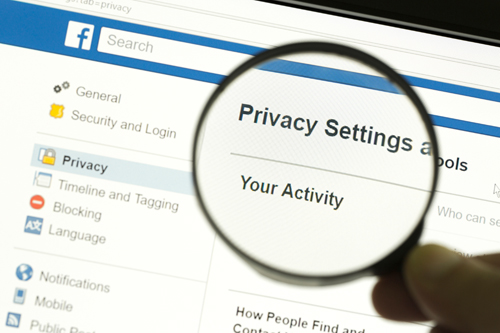
Modern smartphones include privacy options that can automatically reject or silence calls. Features like “Do Not Disturb,” “Call Silence,” or “Focus Mode” can make a phone seem unavailable without the person actively blocking you. Additionally, carriers offer call filtering services that block unknown or spam numbers automatically. Understanding these settings helps you realize that an unavailable message doesn’t necessarily mean intentional avoidance — it might just be their privacy or safety settings working as intended.
How to Unblock a Number on Android
If someone tells you that they can’t reach you, you might have blocked them by accident. To unblock a contact on Android, open the Phone app, tap the three dots or menu, and select Settings > Blocked Numbers. From there, find the contact you want to unblock and tap the minus (-) or unblock option. Once unblocked, both parties can call and text each other again. Always double-check your block list after software updates, as some phones re-enable old blocked numbers automatically.
How to Unblock a Number on iPhone
Unblocking a number on an iPhone is simple. Go to Settings > Phone > Blocked Contacts, then tap Edit in the top-right corner. You’ll see a list of all blocked numbers — tap the red minus (-) icon next to the number you want to remove. Once you confirm, calls and messages from that contact will go through again. Keep in mind that if the number still can’t reach you afterward, your carrier or SIM may be experiencing a technical restriction that needs attention.
Checking If You Accidentally Blocked Someone
It’s surprisingly easy to block someone unintentionally, especially when managing spam calls or contact lists. To check if that’s the case, open your phone’s blocked number list and review the entries carefully. If the person’s name or number appears there, unblock it immediately. You can also test by having them call you from a different number — if their call now connects, you’ve found the problem. Regularly reviewing your blocked list ensures you don’t miss important calls by mistake.
Why Some People Choose to Block Calls Temporarily
Temporary blocking is more common than many realize. People may block numbers temporarily to focus, avoid distractions, or manage overwhelming communication. Others use it as part of “Do Not Disturb” routines during meetings, travel, or rest hours. Carriers and third-party apps also allow temporary blocking for privacy protection. So, if your number seems unreachable, it might not be personal — just temporary. Once the person disables these features, calls will go through again normally, without you needing to take any action.
What to Do If Someone Says You’re “Unavailable”
If others keep telling you that they can’t reach you and hear “The wireless customer is not available,” it’s time to check your own phone setup. Start by verifying that your device has a strong network signal and your SIM is properly inserted. Restart your phone and disable airplane mode if it’s on. Make sure you haven’t accidentally enabled call forwarding or Do Not Disturb mode. Testing your SIM in another device can also help identify whether the issue lies with your phone or your network provider.
Fixing the Problem If People Can’t Reach You
When people consistently fail to contact you, the issue is likely on your end. Begin by resetting your network settings, then update your phone software to the latest version. If you’re still experiencing issues, visit your carrier’s service center and request a SIM or line check. Sometimes, carriers block connections due to technical faults or unpaid bills. You can also try switching your phone’s network mode (from 5G to 4G or 3G) to re-establish a stable connection. Most availability issues are fixable with these steps.
Updating Software to Avoid Connection Glitches
Outdated software can interfere with your phone’s ability to connect to carrier networks. Manufacturers frequently release updates that include bug fixes and performance improvements. To stay connected smoothly, regularly check for system updates under your phone’s settings. Updating not only boosts security but also ensures compatibility with new carrier technologies like VoLTE or 5G. If you ignore updates for too long, your phone might experience dropped calls, weak signals, or errors like “The wireless customer is not available.” Stay updated to prevent such issues.
Contacting Carrier Support for Persistent Issues
If you’ve tried everything and the message still appears, it’s time to contact your carrier’s customer service. They can run a diagnostic test on your number and network line to identify any hidden issues. In some cases, they may refresh your network registration or reissue a new SIM card. Carrier technicians can also check for regional outages or porting errors. Providing them with details — such as when the problem started and how often it occurs — will help them solve it faster and more accurately.
When to Replace Your SIM Card or Phone
Sometimes, persistent call errors come from hardware problems rather than software ones. If your SIM card is several years old, it might no longer support the latest network bands. Likewise, older phones might struggle to maintain consistent connectivity. Replacing your SIM card ensures you’re using an updated chip that communicates efficiently with the carrier. If issues continue even with a new SIM, it may be time to consider upgrading your phone. Modern devices have better antennas and improved call-handling systems to prevent these errors.
How to Avoid Hearing “Wireless Customer Not Available” Again
Prevention is better than cure when it comes to connectivity issues. Keep your phone charged, avoid long periods in airplane mode, and maintain strong signal coverage by staying in open areas. Regularly restart your device to refresh its network connection. If you’re traveling to a remote region, consider enabling Wi-Fi calling. Also, make sure your carrier account is active and bills are paid to prevent service interruptions. These simple habits can drastically reduce the chance of hearing this message again.
Tips to Maintain a Strong and Stable Signal

Signal stability is the foundation of uninterrupted communication. Try to stay in areas with open sky exposure and minimal obstructions, as thick walls or metal structures can block signals. Avoid holding your phone tightly over the antenna area during calls. If you’re in a weak-signal location, use Wi-Fi calling or invest in a signal booster. Switching airplane mode on and off can also help the device reconnect to a closer tower. Regularly cleaning your SIM and updating carrier settings keeps your signal strong and reliable.
Myths About the “Unavailable” Message You Should Ignore
There are plenty of misconceptions about the “wireless customer not available” message. One common myth is that it always means you’ve been blocked — in reality, that’s just one of many possibilities. Another false belief is that certain carriers purposely block calls from specific numbers, which isn’t true. Some think this message means the person’s number has been deleted, but that’s also incorrect. Most of the time, it’s a harmless network or device issue that resolves itself once the phone reconnects to service.
When It’s Time to Move to a New Carrier
If this problem keeps happening even after troubleshooting, it might be time to reconsider your mobile provider. Persistent call failures, dropped connections, or long network outages are signs of weak coverage in your area. Before switching, research carriers with stronger reception in your region and compare data plans. Porting your number to a new carrier is usually quick and simple. Once you switch, you’ll notice fewer call errors, faster connections, and more reliable service — especially if your old provider’s coverage was inconsistent.
Conclusion
“The wireless customer is not available” is one of those phrases that can sound frustrating or mysterious — especially when you’re eager to reach someone. However, as you’ve learned, it’s almost always a technical issue, not a personal one. Whether the cause is a dead battery, weak signal, airplane mode, or temporary carrier outage, the problem is usually short-term and easily fixable.
By understanding the different reasons behind this message and following the troubleshooting steps in this guide, you can quickly figure out whether the issue is on your end or theirs. Staying calm, trying alternate contact methods, and maintaining your phone’s connectivity are key.
In the end, technology isn’t perfect — even the best networks experience hiccups. But with the right knowledge, you’ll never be left wondering what that robotic voice really means. Instead, you’ll know exactly how to respond, reconnect, and stay in touch with the people who matter most.
FAQs
1. Does “The wireless customer is not available” mean I’m blocked?
Not necessarily. While being blocked can sometimes trigger this message, most of the time it happens because the person’s phone is off, out of range, or facing a temporary network issue. Try calling after a few hours or from another number to be sure.
2. Why do I hear this message only for one contact?
If this message plays only for a specific person, their phone might be off, disconnected, or they might have blocked your number. You can test by calling from a different number or contacting them through a messaging app to confirm.
3. Can a dead battery cause this message?
Yes. When a phone’s battery dies, it disconnects from the carrier network completely. As a result, the system can’t reach the device and plays the “wireless customer is not available” message until the phone is powered back on.
4. How long does it take before the message goes away?
That depends on the cause. If it’s due to a weak signal or power loss, the issue may resolve in minutes or hours. If it continues for several days, it might indicate a more serious problem like a damaged SIM, carrier outage, or blocked number.
5. Can airplane mode make a phone unavailable?
Absolutely. Airplane mode disables all wireless communications, including calls and texts. When it’s active, your phone is invisible to the network — so anyone calling you will hear that the wireless customer is not available.
6. Why does this happen even when I have full signal?
Even with strong signal bars, your phone might face temporary registration issues with the carrier network. Restarting your device, resetting network settings, or reinserting your SIM card usually resolves the issue quickly.
7. What should I do if people say I’m unavailable?
If others hear this message when calling you, check your phone’s settings. Make sure it’s not on Do Not Disturb, and that your SIM card is inserted properly. Restart your phone and ensure your carrier service is active and paid up
8. Will texting work if someone is “not available”?
Sometimes. Texts may still deliver once the person’s phone reconnects to the network. If the text doesn’t show as “delivered” after several hours, it means their phone is still disconnected or unreachable.
9. Can network congestion cause this problem?
Yes. During peak hours or in crowded areas, network congestion can prevent calls from connecting. The system may temporarily return the “not available” message until the signal stabilizes or bandwidth frees up.
10. What’s the best way to avoid hearing this message again?
Keep your phone charged, stay in areas with strong signal, and avoid keeping your device in airplane mode for long. Regularly update your phone’s software and carrier settings, and contact your provider if issues persist.
Keep an eye for more latest news & updates on premiumtechy!